
What is an Agent?
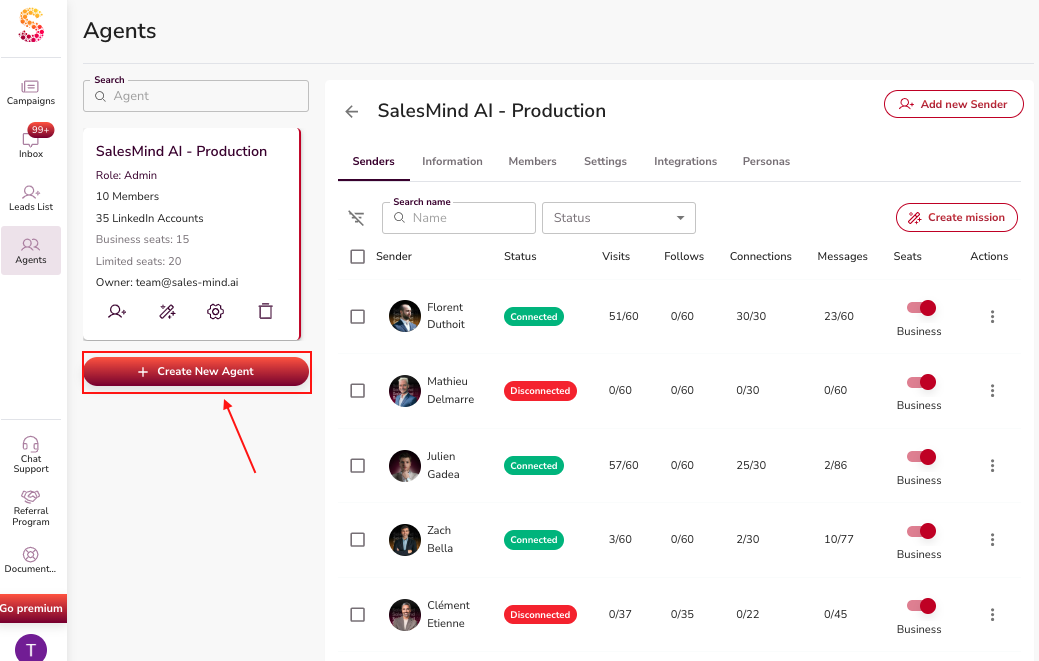
An Agent is the top-level unit in Leadvista AI. Think of it as a box. It holds all you need to run outreach for one group. That group can be your whole company, one department, or a client (if you're an agency).
Each Agent holds senders, team members, outreach settings, company info, and target personas. Set it up well, and the AI has all it needs to run good campaigns.
Key Components
1. Senders
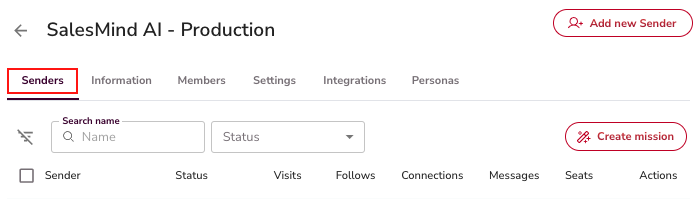
A Sender is the identity that does the outreach. It is often a LinkedIn account. You can add many senders to one Agent. Each sender uses the Agent's settings by default. You can change them at the campaign level.
2. Team Members and Roles
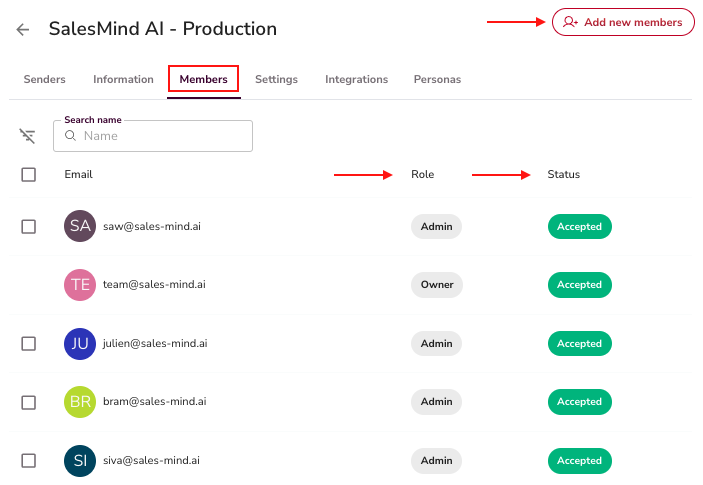
Each Agent has a list of members. Each one has a role. Roles like Owner and Admin control what each person can see and do. You can invite, edit, or remove members.
⚠️ Warning: You can't delete the Owner role.
3. Information (Knowledge Base)
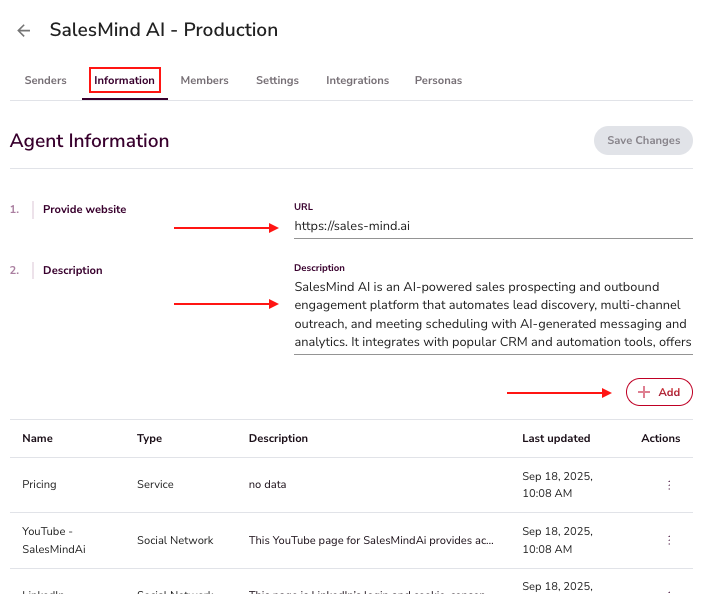
Add your company's services, LinkedIn page, booking links, reviews, and other info here. The AI uses this base during chats. It shares the right thing at the right time.
💡 Tip: The fuller your base, the better the AI works. Add case studies, demo links, and pricing pages.
4. Integrations
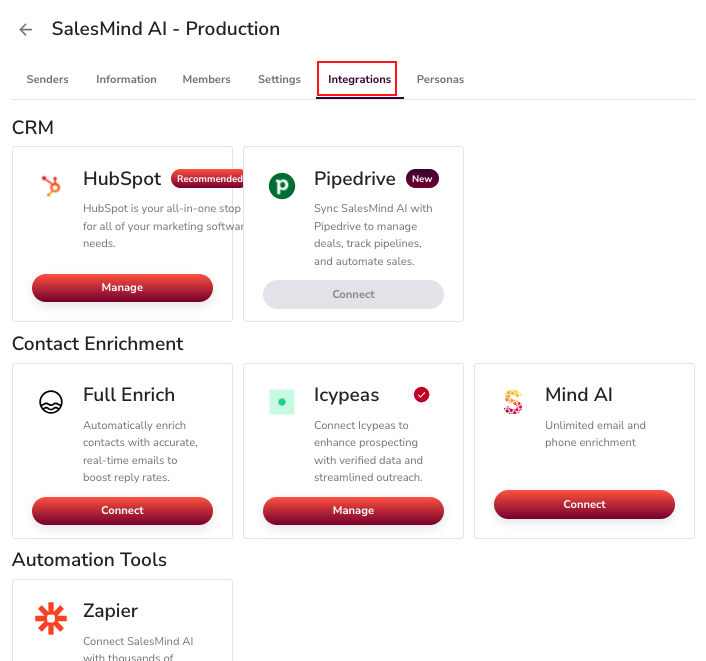
Agents connect to outside tools — CRMs, data services, and other apps. This keeps Leadvista AI in sync with your sales stack. See the Outreach Settings article to set this up.
5. Personas
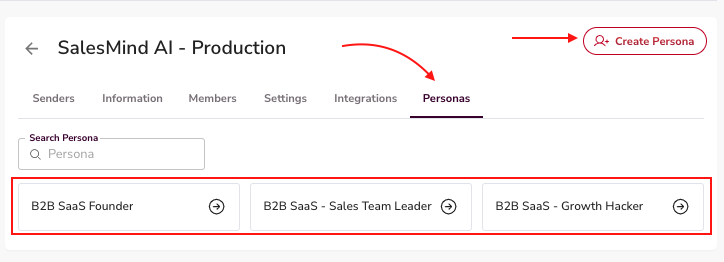
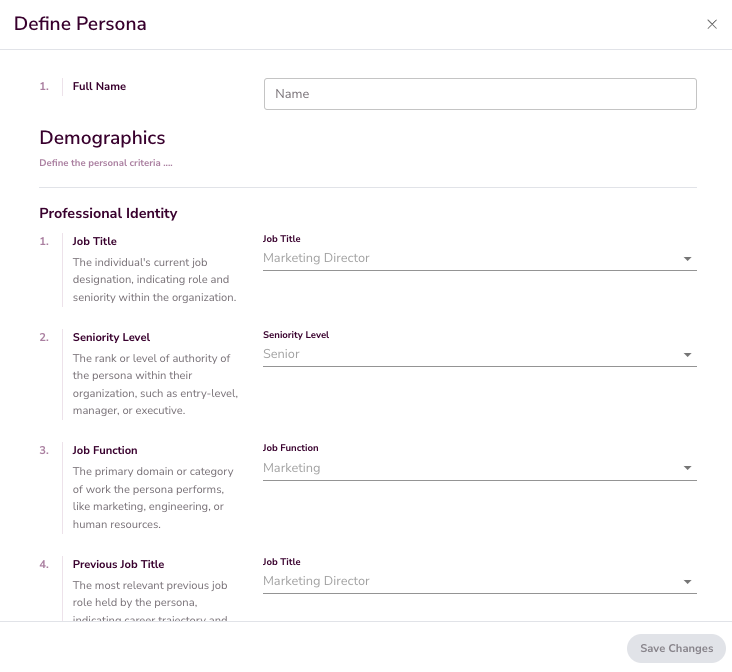
Personas tell the agent who you want to reach. Each persona has 36 details — job title, seniority, industry, company size, tools, pain points, buy criteria, and more. The AI uses them to find the right leads, score each one, and write the right message.
Be specific. "B2B SaaS Founder" or "Sales Director at a 50–200 person company" works much better than "decision makers." Sharp personas make the AI sound right.
👉 Note: See Setting Up Your Persona for the full 36-detail breakdown, a manual vs. AI walk-through, and a copy-paste ChatGPT prompt to draft your ICP.
What's Next
Once your Agent is set up, you can create campaigns. See How to Launch My First Campaign to start.